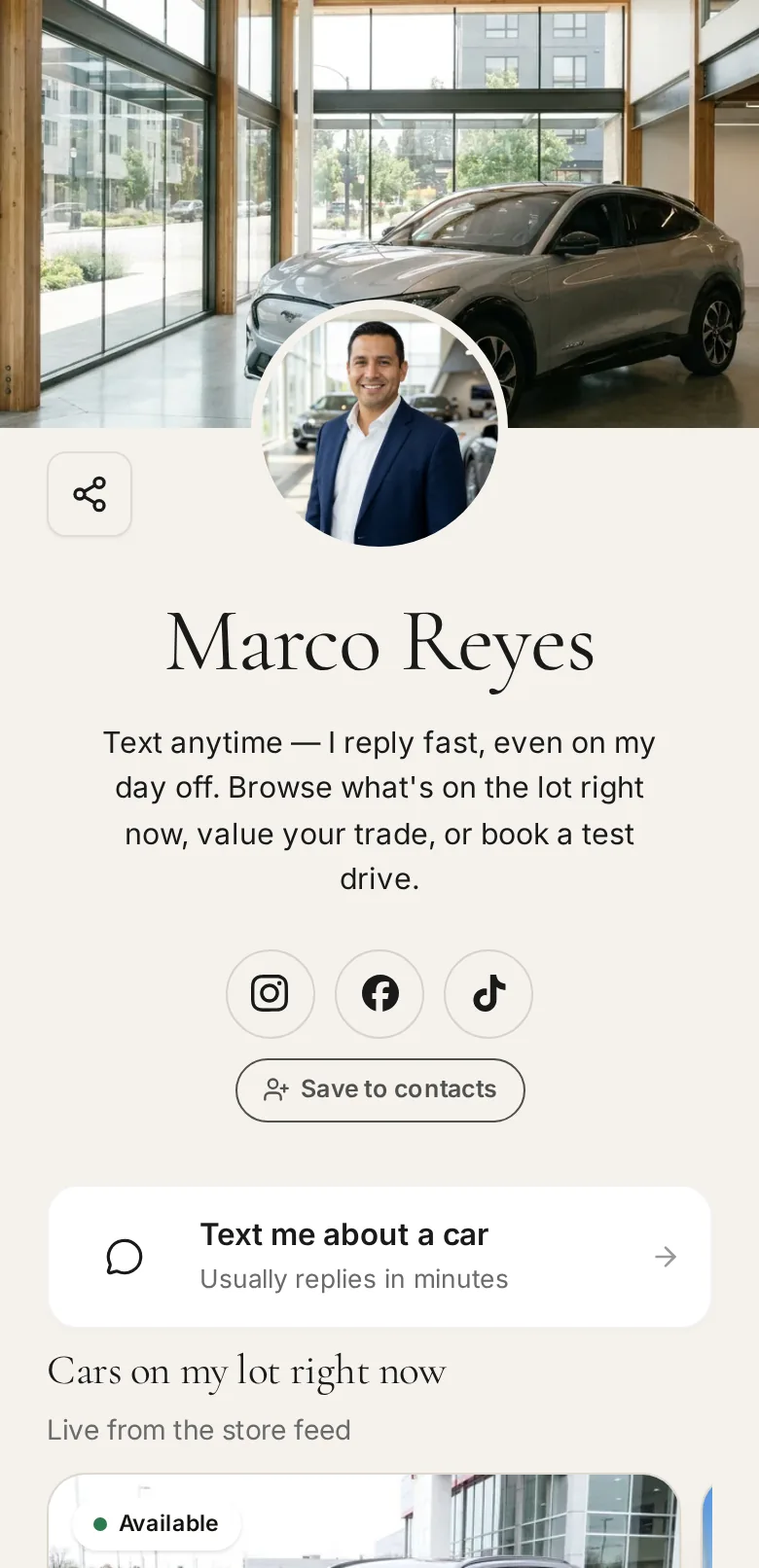
Your inventory, trade-in and test-drive link — in every bio and every text.
Shoppers tap your link and see the cars on your lot right now, request a trade-in value, or book a test drive. Every lead lands in your phone and the store CRM with your name on it.
Vehicle share pages
Share one car with your calendar under it.
Every car in your inventory gets its own link — photos, the all-in price, your card, and your booking right below. Text it, post it, or print the QR on the window sticker. Leads and test drives come back tagged to that exact vehicle.
- — One tap "Share this car" from your inventory: link, QR, text / WhatsApp message.
- — Your booking (Calendly, Cal.com or FRDDY's built-in scheduler) pre-filled with the car.
- — Sold cars still convert: the link sends shoppers to your live inventory with a friendly heads-up.
Live inventory, your name on it
The store feed powers your page: featured units, pricing and photos stay in sync. No screenshots of the lot.
Trade-in and test-drive requests
A trim-level picker with OEM colours, condition and notes. Leads arrive as ADF/XML in the CRM, sourced to you.
Click-to-text that converts
Prefilled texts about a specific unit, tracked taps, and a save-my-contact card so the shopper keeps you.
Sound familiar?
What car salespeople put up with today.
Shoppers land on a homepage, not on you — and the lead gets round-robined to whoever's up.
Posting units by hand means wrong prices, sold cars and no way to book from the post.
When the deal closes, nobody can see it started with your TikTok, your sign QR or your text.
How it works
Three steps. No developer.
- 1
Connect the store feed (or pick your featured units) and add trade-in, test drive and text-me blocks
- 2
Put the link in every bio, text signature and your lot QR
- 3
Leads hit your phone and the CRM as ADF/XML with your name as source
What you get
Everything a car salespeople page needs.
“My link used to send people to the dealership homepage. Now they see my cars, text me about one, and the lead comes in sourced to me.”
Features you'll use
Everything above is built in.
Questions from car salespeople
Does my store need to be on FRDDY?
No. You can build a personal page on Free and connect your own featured units. If the store joins later, your page moves under the brand kit and inherits the feed and CRM delivery.
How do leads reach the CRM?
ADF/XML email to the CRM's lead inbox (VinSolutions, DealerSocket, eLead, DriveCentric and others) with you as the salesperson, plus a text/email alert to you.
Can I take trade-ins without a dealer feed?
Yes — the trade-in funnel works standalone; the vehicle picker covers 30 makes and 700+ models with trims and OEM colours.
What happens if I change stores?
Your handle stays yours. Rooftop admins can redirect the old page to the store or a teammate; open leads are reassigned.
Ready when you are.
Free to start. Your page is live in minutes — publish from the signup wizard.
Create your free page